
Benefits of Modular Shop-In-Shop Displays for Retail Brands
Table of Contents
Why Modular Shop-In-Shop Displays Change the Retail Math
The Core Benefits of Modular Shop-In-Shop Displays
Faster Deployment Across Multiple Locations
Lower Total Cost of Ownership Through Reuse
Modular vs. Custom Displays: Which Fits Your Program
Shop-In-Shop Design That Works With the Host Retailer
Who Owns What
The Approval Workflow
Design Constraints to Engineer Around
Reusable Retail Displays and the Seasonal Reset
Retail Display Materials That Survive Real Store Traffic
Measuring Performance: KPIs That Prove the Display Works
The KPIs Worth Tracking
How to Measure Without Fooling Yourself
Total Cost of Ownership, Not Sticker Price
Conclusion
Frequently Asked Questions
Last Updated: October 20, 2026
Why Modular Shop-In-Shop Displays Change the Retail Math
A shop-in-shop display is a branded fixture or enclosed selling space built inside a host retailer, and its economics hinge on one question: how many times can you use it before it stops earning? At Breakthrough Productions, we design and fabricate retail environments for brands. The benefits of modular shop-in-shop displays start with this: a fixture you can rebuild, resize, and redeploy keeps paying back long after the first install. Below, we'll show you exactly how that math works, where custom builds still win, and the KPIs that prove a display is pulling its weight.
The Core Benefits of Modular Shop-In-Shop Displays
Modular shop-in-shop displays deliver three advantages that fixed fixtures cannot: speed, reuse, and flexibility across a retail chain.
Modular shop-in-shop displays are branded retail fixtures built from standardized, interchangeable components, so a brand can change size, shelving, and graphics without replacing the whole unit.
That definition matters because it reframes what you're buying. You are not purchasing a display. You are purchasing a system that gets reused across stores, seasons, and product lines.
Faster Deployment Across Multiple Locations
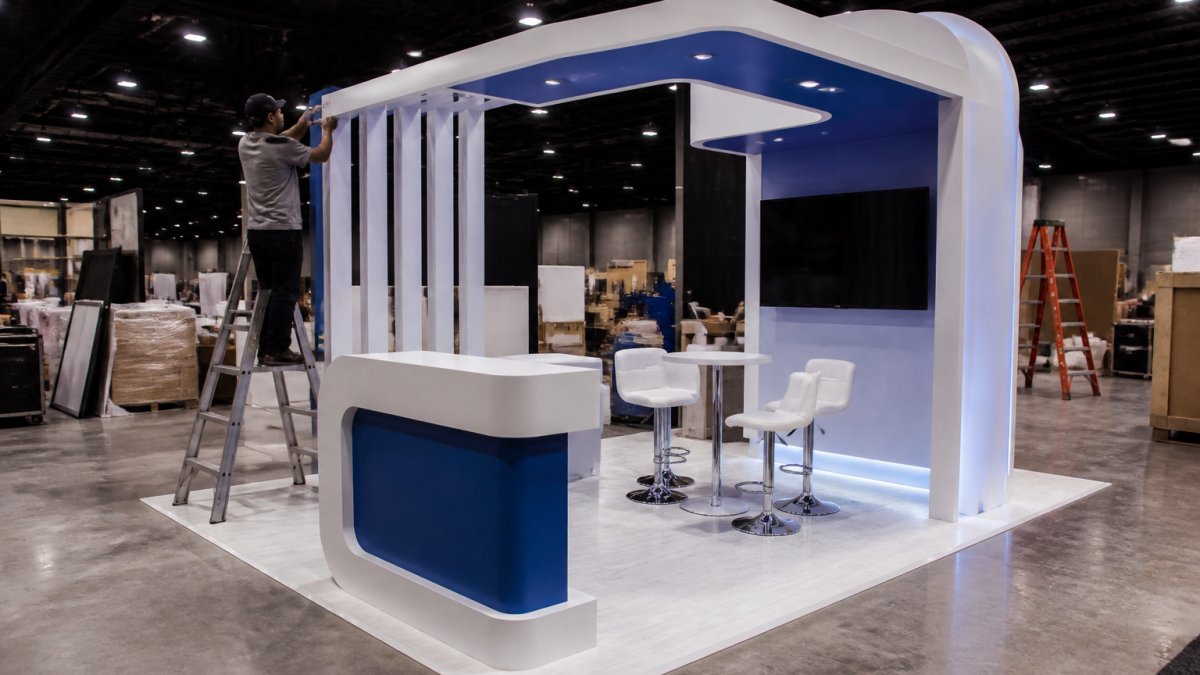
Speed is the first benefit most teams notice. A kit-of-parts system ships flat, assembles with predictable labor, and follows the same build sequence in every store. Store teams learn one install method instead of improvising per location.
Darko's 2026 retail display trends report notes that tool-free assembly is a labor-saving approach for modular retail programs. In practice, that means fewer crew hours per install and fewer surprises on opening day.
Lower Total Cost of Ownership Through Reuse
The second benefit is cost, measured over the life of the fixture rather than the first install. Modular systems let you refresh graphics and swap product holders without scrapping the structure.
ARX Display's analysis of modular retail displays explains that additional modules accommodate SKU expansion, so a growing assortment does not force a full replacement. Reuse is where modular shop-in-shop displays quietly beat one-off custom builds.
Key Takeaway Price a display by cost per install, not sticker price. A reusable system amortized across multiple locations and seasonal resets usually wins on total cost of ownership.
Modular vs. Custom Displays: Which Fits Your Program
Custom displays win on brand expression. Modular displays win on repeatability. The right choice depends on whether you are building one flagship environment or rolling a program across many doors.
Factor | Modular Displays | Custom Displays |
Deployment speed | Fast, repeatable installs | Slower, site-specific builds |
Reuse across seasons | High, components reconfigure | Low, often rebuilt |
Brand expression | Strong with custom graphics | Highest, fully bespoke |
Cost per location | Falls as volume grows | Stays high per build |
Best for | Multi-door rollouts | Flagship or hero spaces |
A hybrid approach can offer brand consistency at scale with local flexibility where it counts.
Shop-In-Shop Design That Works With the Host Retailer
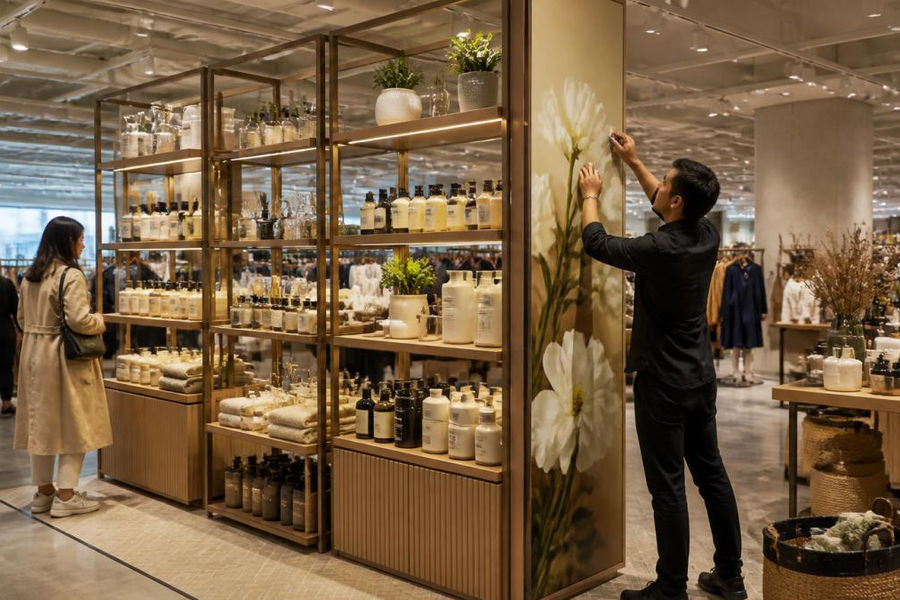
A shop-in-shop is not a freestanding retail build. It is a branded space operating inside someone else's store, under someone else's lease, insurance, and fixture standards. That shared arrangement is what separates shop-in-shop from a standalone pop-up, and it is where most programs get delayed.
Who Owns What
Before design starts, write down the division of responsibility. A common pattern splits it like this:
Brand owns: fixture design intent, graphics, product assortment, brand standards, and the modular kit itself.
Host retailer owns: the floor space, base building power, store labor for daily upkeep, and the fixture approval.
Shared or negotiated: installation labor, freight receiving, damage liability, signage placement, and end-of-program removal.
Ambiguity here is expensive. If nobody confirmed who receives the freight at the store's loading dock, the fixture sits on a truck while the launch date slips.
The Approval Workflow
Host retailers typically run their own fixture and planogram approval process, and it is not optional. Expect to submit drawings, footprint dimensions, fixture heights, sightline studies, and material specs for review before fabrication. Some hosts also require samples or a prototype install in a test store.
Build the approval timeline into your schedule, not around it. A display that clears fabrication in six weeks can still miss a launch because the host's review cycle ran long.
Design Constraints to Engineer Around
Footprint and height: confirm the approved square footage and maximum fixture height before you draw anything. A display that blocks sightlines to the host's own categories gets rejected.
Aisle clearance and accessibility: keep shopper pathways open and meet accessibility requirements for reach ranges and clear floor space.
Power and data: confirm what circuits the host will provide and where. Adding power after approval usually means a redesign.
Signage: host rules often govern sign size, placement, and whether brand signage can hang above a certain height.
Safety and fire: fixture materials and any lighting or AV need to meet the host's and local code requirements.
Modularity for the host's own resets: design so store teams can move or reconfigure the unit during the host's own seasonal changes without damaging it.
Watch Out Skipping the host retailer's fixture approval process is the most common cause of delayed installs. Get footprint, height, power, and signage sign-off before fabrication begins, or you risk rebuilding on site.
Design for the host's constraints first, then layer brand expression on top through standardized graphics and a modular core that adapts to each store's layout. That is how you get brand consistency across many doors without fighting every store manager.
Reusable Retail Displays and the Seasonal Reset
Seasonal promotions and holiday merchandising are where reusable retail displays earn their keep. A modular system reconfigures between campaigns instead of being discarded, so the same structure carries a spring launch, a back-to-school push, and a holiday feature.
T3 Systems' modular retail display overview describes systems designed to reconfigure between campaigns, seasons, and locations. That reconfiguration is the operational heart of a seasonal reset: swap graphics, change shelving heights, move modules, and reopen.
The practical workflow looks like this:
Plan the seasonal calendar and map each promotion to a configuration.
Store graphics and components in labeled kits for fast retrieval.
Train store teams on one reconfiguration method.
Inspect and repair components between cycles to extend life.
Retail Display Materials That Survive Real Store Traffic
Retail display materials decide whether a fixture survives a year of shopper traffic or looks tired by month three. The right mix balances durability, weight, finish, and end-of-life planning.
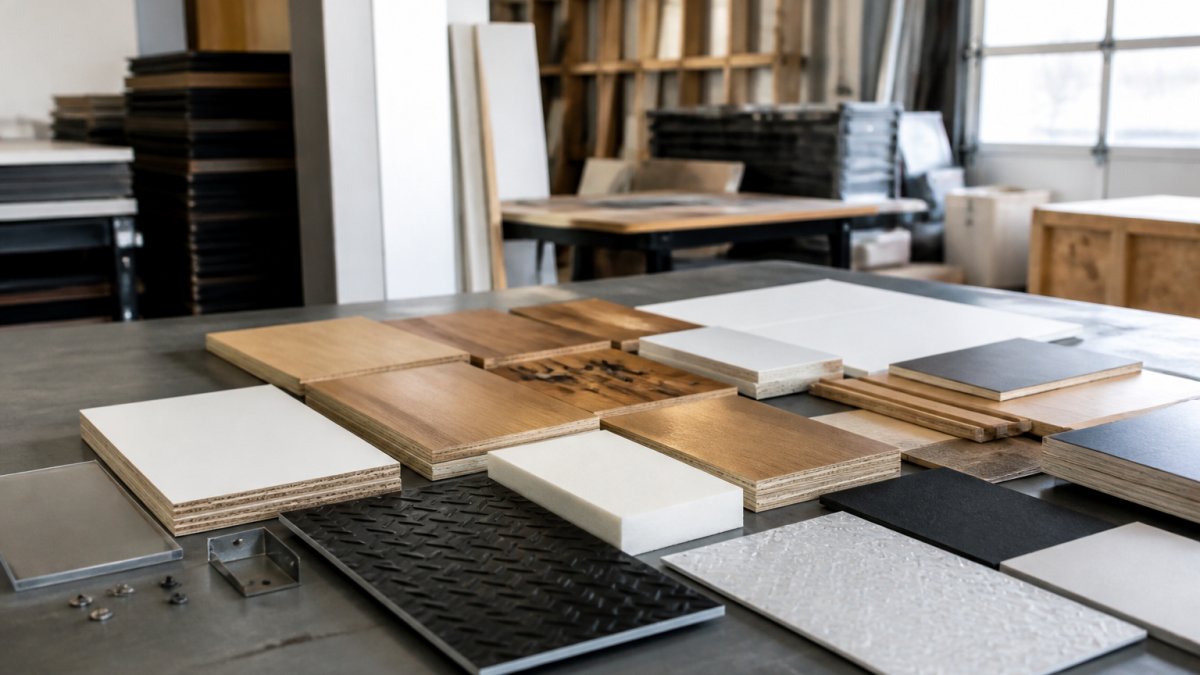
Powder-coated steel and aluminum: structural frames that hold up to repeated assembly and disassembly.
Engineered wood and millwork: warm finishes for feature faces, sealed against wear.
High-pressure laminate: scratch-resistant surfaces for high-touch shelves and counters.
Lightweight graphics: easier to ship and swap, with some substrates machine washable per Scube Fixtures' modular display guidance.
Reusable crating: protects components in transit and storage between deployments.
Cubik's guide to refreshing layouts without renovations ties modular displays to layout changes without renovation work, which only holds up if the materials tolerate repeated handling.
Pro Tip Specify edge banding and replaceable graphic panels on any surface a shopper touches. It extends fixture life and cuts the cost of mid-cycle refreshes.
Measuring Performance: KPIs That Prove the Display Works
A display is only as good as the numbers it moves, and the numbers only mean something against a baseline. Set the baseline before install, measure at a consistent interval, and compare like stores to like stores. That is how you turn a fixture into a business case finance will accept.
The KPIs Worth Tracking
Sales per square foot in and around the display footprint, compared with the same space before install.
Conversion rate at the display versus the store baseline, units sold divided by shoppers who engaged.
Dwell time near the fixture, measured by observation or traffic tools where the host allows it.
Sell-through on featured SKUs, watched for the first weeks after launch.
Display-related sales lift by comparing test stores with control stores that did not get the fixture.
Impulse buying lift on products placed at the display's edge or checkout-adjacent zones.
How to Measure Without Fooling Yourself
Pick control stores that match your test stores on traffic, demographics, and assortment. Measure the same window in both, same weeks, same promotions, same staffing. If you cannot run a clean control, at minimum compare the display's footprint performance before and after install and note what else changed.
A common pattern is to over-credit the display for a lift that came from a simultaneous price promotion. Isolate variables or the business case falls apart under scrutiny.
Total Cost of Ownership, Not Sticker Price
The number that matters is cost per install across the life of the system, not the invoice for the first build. Add up:
Fabrication and graphics for the initial kit.
Freight and crating to each store.
Installation and dismantle labor per deployment.
Storage between cycles.
Replacement parts and graphic refreshes.
Reconfiguration labor at each seasonal reset.
A modular system that costs more upfront but deploys across many doors and resets can offer advantages on total cost of ownership. A one-off custom build that looks better on day one may incur higher costs once you count the rebuild at the next location.
Key Takeaway Build the ROI case on cost per install and sales lift per square foot, not on the first invoice. That is the math that survives a finance review and justifies the next rollout.
Track a small set of these KPIs consistently, and you can defend the investment, refine the next configuration, and show the host retailer why the space is earning its square footage.
Conclusion
The hard part is not choosing a modular system. It is engineering one that survives shipping, installs cleanly in every host store, and still looks like your brand on the tenth reset. That is where Breakthrough Productions comes in. We handle design, engineering, fabrication, logistics, and installation under one roof, with full 3D visualization before we build and reusable component planning built into the design. Already have a rendering or a budget? Send it over, and we'll show you how to make it executable.
Frequently Asked Questions
What are the benefits of modular shop-in-shop displays?
The main benefits are speed and cost control. Modular shop-in-shop displays ship as a kit of parts, so a brand can install the same footprint in multiple stores without rebuilding from scratch each time. Graphics, shelves, and product holders can be swapped without replacing the whole fixture, which supports seasonal promotions and inventory changes. Reusable components also reduce waste and freight over a multi-year program, and the consistent structure keeps brand presentation recognizable from one location to the next.
How do modular retail displays differ from custom displays?
Custom displays are built to one exact footprint and one exact merchandising plan. They can deliver a strong visual result but are expensive to change. Modular displays use standardized structural components that can be reconfigured, resized, or extended as assortments change. The practical trade-off in modular vs. custom displays is uniqueness versus adaptability: custom wins on one-of-a-kind presence, modular wins on rollout speed, reuse, and cost efficiency across many stores or seasons.
Can modular shop-in-shop displays be reused in different store layouts?
Yes, that is the point of the format. Because the system is built from interchangeable structural components, a display can be scaled up for a flagship footprint and scaled down for a compact store. Many systems also allow the unit to be moved to a different location inside the store or transported between locations. Plan the module sizes around your smallest and largest footprints before fabrication so the same kit works everywhere.
What should brands consider when planning a shop-in-shop display?
Start with the host retailer's requirements: fixture height limits, sightline rules, power access, and installation windows. Then define what the display must accomplish, whether that is product visibility, impulse buying, or a branded customer experience. Plan graphics and product holders as swappable elements, and specify retail display materials that hold up to repeated assembly and disassembly. Finally, agree on how you will measure performance, such as sales per square foot or conversion rate, before the build starts.
LET'S START SOMETHING AMAZING

Comments